Every student’s portals, from one record.
Keep each student’s details, grades and documents on one record. AppliFlo for Chrome fills each university portal from it, page by page, with the uploads. Agreements and consents go out for signing with a seal.
- University portals filled page by page
- Student, parent and counsellor sign at once
- Never submits or pays

Twelve students, five universities each. That is a lot of portals.
Filled from each student’s record, page by page. You submit.
Education agents
University portals filled from each student’s record.
See how it works- 956A956AHome Affairs · 7p
- 12291229Home Affairs · 4p
- 12821282Home Affairs · 2p
Twelve students. Sixty portals.
Counsellors fill the same student’s details into portal after portal, then chase agreements and consents from students and parents.
Portal after portal
Each university asks for the same student in its own layout.
Documents, re-attached
Transcripts, passports and test results uploaded on every application.
Agreements with families
Student and parent signatures, often in different places.
One student record, every portal
Fill from the record, sign with the family, keep the copies together.
 GlobalyOSRead and write
 HubSpotRead-only
- CSV & ExcelUpload
- Date of birth
- 17/01/2007
- Passport
- P5512309
- School
- Lakeside College (example)
- Files
- transcript.pdf · ielts.pdf
Review
SEALEDcert. attached
Form 956A, ready to sign
Example data. Every person here is made up.
The forms this work runs on
6 official forms from the library, 2 agreement templates to start from, and the online forms AppliFlo for Chrome fills.
Official forms · ready to fill, no AI pages
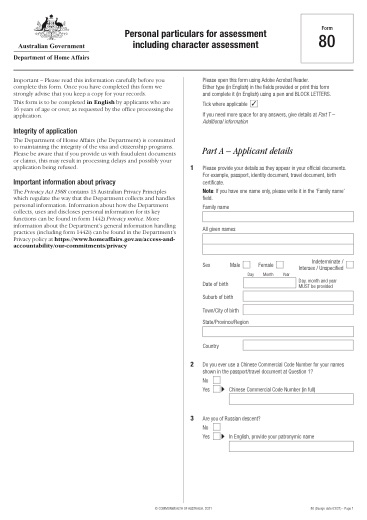
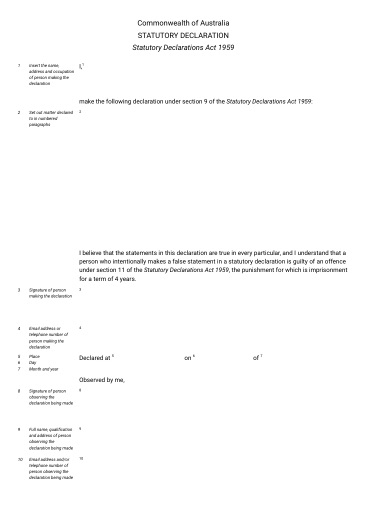
Visa forms that often follow an offer.
Agreement templates · starting points, check the wording
Online forms · filled in Chrome, submitted by you
- University application portals
- Scholarship applications
- Student accommodation forms


Bring your data from where it lives
GlobalyOS is live. Agentcis is on the roadmap; until then, export students as a CSV.
Live
- GlobalyOSOne-click Connect · signed copies go back
- CSV & ExcelCSV · XLSX · upload when you fill
- HubSpotOAuth, read-only
 REST APIOpenAPI spec · Business
 MCP serverFor AI agents · Business
Roadmap
 AgentcisComing
 Google SheetsComing
Questions about education agents
Something else? Ask the team.
We use Agentcis. Can we connect it?
Agentcis is on the roadmap. Today, export students as a CSV or Excel file, or use GlobalyOS or HubSpot.
Can students use AppliFlo on their own?
Yes. Fill as me is free for anyone filling in their own details.
Does it submit applications?
No. In Chrome it fills each page and stops on the final step, so you check it and press Submit yourself. It never pays a fee for you. For PDF and Word forms you get the filled file to check before anything is sent.
Can a parent sign from another country?
Yes. Each signer opens the envelope from their own email, and signers can sign at the same time.
When is the Chrome extension available?
Yes. AppliFlo for Chrome is in the Chrome Web Store, free to add, and PDF and Word forms, Sign and Docs work in AppliFlo.
Related solutions
 Use caseStudy & admissionsUniversity portals filled from saved details, with uploads.See the page
 IndustryMigration agenciesVisa forms, portals and client agreements in one workspace.See the page
 Use caseVisa & immigrationOfficial visa forms and online portals, filled from the client’s record.See the page