Grant portals, filled from your details.
Keep your organisation’s details on one record: legal name, tax ID, address, mission and budget figures. AppliFlo for Chrome fills each grant portal page by page and stops before you submit. Grant agreements are signed and sealed.
- Grant portals filled page by page
- Never submits for you
- Agreements sealed with PAdES

Three grant portals this month, all asking for our organisation’s details.
Filled from your organisation’s record, page by page. You review and submit.
Nonprofits & grants
Grant portals and agreements, with your details filled once.
See how it works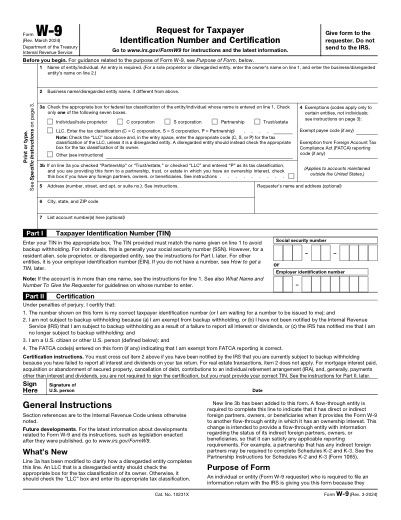 W-9IRS · 6p
- SS-4SS-4IRS · 2p
- 8822-B8822-BIRS · 2p
Same organisation, new portal.
Every funder’s portal asks for the same legal name, tax ID, address, mission statement and budget, before you get to the questions that matter.
Portal after portal
Each funder has its own portal and its own order of questions.
The same attachments
Budgets, annual reports and registration documents uploaded each time.
Agreements to sign
Grant agreements and partner MOUs signed by the board and the funder.
Your organisation, every funder
Keep the basics on one record so your time goes on the answers that matter.
 GlobalyOSRead and write
 HubSpotRead-only
- CSV & ExcelUpload
- EIN
- 12-3456789
- Address
- 5 Mill St, Portland OR
- Annual budget
- $640,000
- Files
- budget.pdf · annual-report.pdf
Attachments
W-9 ready to sign
SEALEDcert. attached
Example data. Every person here is made up.
The forms this work runs on
4 official forms from the library, 4 agreement templates to start from, and the online forms AppliFlo for Chrome fills.
Official forms · ready to fill, no AI pages
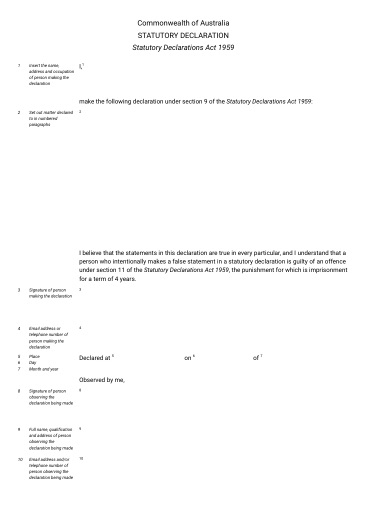
Forms funders and registrations ask for. Grant applications themselves are mostly online.
Agreement templates · starting points, check the wording
Online forms · filled in Chrome, submitted by you
- Foundation grant portals
- Government grant applications
- Charity registration updates
All four products, one account
 PDF & Word formsW-9, SS-4 and change-of-address forms from the library.Explore
 DocsPartner agreements and MOUs drafted with AI you review.Explore
 SignGrant agreements and partner MOUs, signed in order and sealed.Explore
- AppliFlo for ChromeGrant portals filled from your organisation’s record; you submit.Explore
Bring your data from where it lives
Keep your organisation as a record from a CSV or GlobalyOS. Google Sheets and Salesforce are on the roadmap.
Live
- CSV & ExcelCSV · XLSX · upload when you fill
- GlobalyOSOne-click Connect · signed copies go back
- HubSpotOAuth, read-only
 REST APIOpenAPI spec · Business
 MCP serverFor AI agents · Business
Roadmap
 Google SheetsComing
 SalesforceComing
Questions about nonprofits & grants
Something else? Ask the team.
Does it write our grant answers?
No. It fills the details you have saved, such as your legal name, tax ID, address and budget. The answers about your work are yours to write.
Does it submit the application?
No. In Chrome it fills each page and stops on the final step, so you check it and press Submit yourself. It never pays a fee for you. For PDF and Word forms you get the filled file to check before anything is sent.
What does the Free plan include?
AppliFlo for Chrome, 25 AI pages a month for your workspace, 5 envelopes a month with 2 recipients, the Docs editor with 3 AI drafts, and the 54 official forms.
When is the Chrome extension available?
Yes. AppliFlo for Chrome is in the Chrome Web Store, free to add, and PDF and Word forms, Sign and Docs work in AppliFlo.